If you’re looking for the best offline OCR tool, Adobe Acrobat Pro is one of the easiest and most reliable options available today.
Whether you need to convert scanned PDFs, extract text from images, or make old documents searchable, Adobe Acrobat Pro can do it all without relying on online OCR websites.
In this guide, you’ll learn how Adobe Acrobat Pro works as an offline OCR solution, its benefits, features, and why many professionals use it for document management.
Need a Reliable Offline OCR Tool?
Adobe Acrobat Pro can convert scanned PDFs into editable and searchable text in minutes.
What Is Offline OCR?
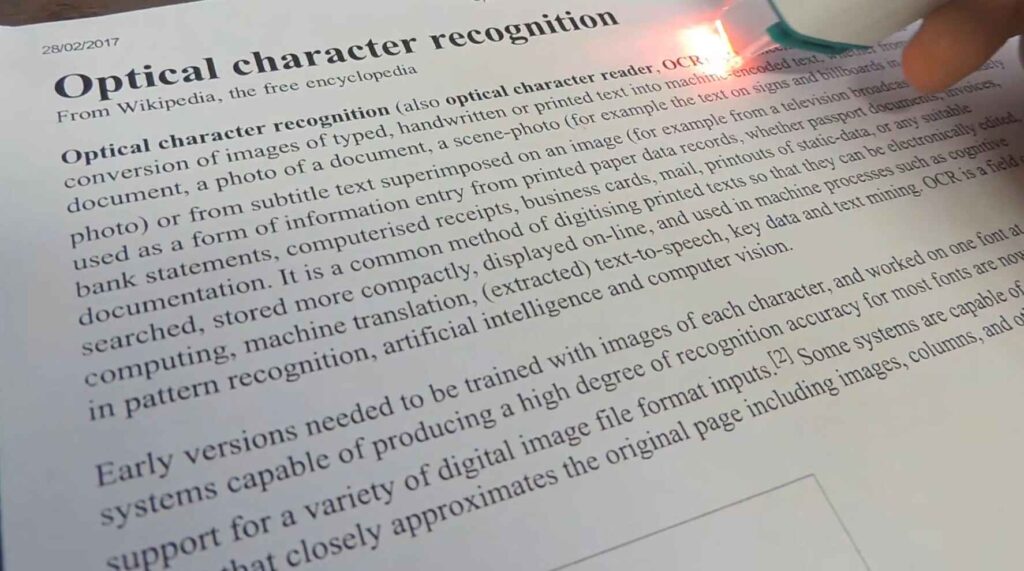
Offline OCR (Optical Character Recognition) is a technology that converts text from scanned documents, PDFs, and images into editable text directly on your computer.
Unlike online OCR tools, offline OCR software does not require you to upload your files to a website.
This offers several advantages:
- Better privacy for sensitive documents
- Faster processing speeds
- No internet connection required
- No file upload limits
- More control over your documents
For users who regularly work with scanned files, offline OCR is often the preferred choice.
Why Adobe Acrobat Pro Is the Best Offline OCR Tool
Adobe Acrobat Pro combines powerful OCR technology with advanced PDF editing features in a single program.
Instead of using separate OCR software, you can scan, recognize, edit, organize, and export documents from one place.
This makes it one of the most practical offline OCR solutions for students, professionals, businesses, and home users.
Accurate Text Recognition
One of the biggest reasons people choose Adobe Acrobat Pro is its OCR accuracy.
The software can recognize text from:
- Scanned PDFs
- Printed documents
- Receipts
- Invoices
- Reports
- Books
- Forms
Once the OCR process is complete, the text becomes searchable and editable.
Works Without Online OCR Websites
Many free OCR tools require uploading documents to online servers.
This can be a concern when dealing with:
- Legal documents
- Financial records
- Business contracts
- Personal information
Adobe Acrobat Pro performs OCR directly on your computer, helping keep sensitive files under your control.
Convert Scanned PDFs into Editable Documents
A common problem with scanned PDFs is that they behave like images.
You cannot search, copy, or edit the text.
Adobe Acrobat Pro solves this problem by recognizing the text and turning it into an editable document.
You can then:
- Copy text
- Edit text
- Search keywords
- Export to Word
- Save as searchable PDF
Key Features of Adobe Acrobat Pro OCR
Searchable PDFs
After OCR processing, your PDF becomes searchable.
Instead of manually scrolling through hundreds of pages, you can instantly find words or phrases.
PDF to Word Conversion
Need to edit a scanned document?
Adobe Acrobat Pro can export OCR-processed PDFs to Microsoft Word while preserving much of the original formatting.
Maintain Original Layout
Many OCR tools create messy documents after conversion.
Adobe Acrobat Pro does a good job of preserving:
- Headings
- Paragraphs
- Tables
- Images
- Page structure
Batch Processing
If you work with multiple documents, Adobe Acrobat Pro can save a lot of time by processing large numbers of files efficiently.
Easy-to-Use Interface
Even beginners can perform OCR in just a few steps:
- Open the PDF.
- Click “Scan & OCR.”
- Select “Recognize Text.”
- Save the document.
The process usually takes only a few minutes.
Save Hours of Manual Typing
Turn scanned PDFs into editable documents with Adobe Acrobat Pro’s built-in OCR technology.
👉 View Adobe Acrobat Pro DealWho Should Use Adobe Acrobat Pro?
Adobe Acrobat Pro is a great offline OCR tool for:
Students
Convert scanned notes and study materials into searchable documents.
Small Businesses
Digitize invoices, receipts, contracts, and paperwork.
Office Professionals
Edit scanned reports without retyping everything manually.
Researchers
Search through large collections of scanned documents quickly.
Freelancers
Manage client files more efficiently.
Pros and Cons
Pros
✔ Excellent OCR accuracy
✔ Works offline
✔ Creates searchable PDFs
✔ Easy to use
✔ Trusted Adobe software
✔ Powerful PDF editing tools
✔ Saves time on manual data entry
Cons
✘ Requires a subscription
✘ More features than casual users may need
Is Adobe Acrobat Pro Worth It?
If you frequently work with scanned documents, Adobe Acrobat Pro is absolutely worth considering.
The time saved by converting scanned PDFs into editable text can quickly outweigh the cost of the software.
Instead of using multiple tools for OCR, PDF editing, file conversion, and document management, Adobe Acrobat Pro handles everything in one place.
For most users looking for a dependable offline OCR solution, it remains one of the best choices available.
Frequently Asked Questions
What is the best offline OCR software?
Adobe Acrobat Pro is widely considered one of the best offline OCR tools because it combines accurate text recognition with powerful PDF editing features.
Can Adobe Acrobat Pro perform OCR without an internet connection?
Yes. Adobe Acrobat Pro can process OCR locally on your computer, making it a useful offline OCR solution.
Is offline OCR better than online OCR?
Offline OCR offers better privacy, no upload requirements, and greater control over sensitive documents.
Can Adobe Acrobat Pro convert scanned PDFs into editable text?
Yes. Its OCR feature recognizes text from scanned PDFs and allows you to edit, search, and export the content.
Ready to Try the Best Offline OCR Tool?
Join millions of users who rely on Adobe Acrobat Pro for PDF editing and OCR.
Buy Adobe Acrobat Pro NowFinal Thoughts
When searching for the best offline OCR tool, Adobe Acrobat Pro stands out for its accuracy, ease of use, and powerful PDF features.
It not only converts scanned PDFs into editable text but also helps organize, edit, search, and manage documents efficiently.
If you want a reliable offline OCR solution that saves time and handles documents professionally, Adobe Acrobat Pro is a strong choice.
Related article:


Leave a Reply